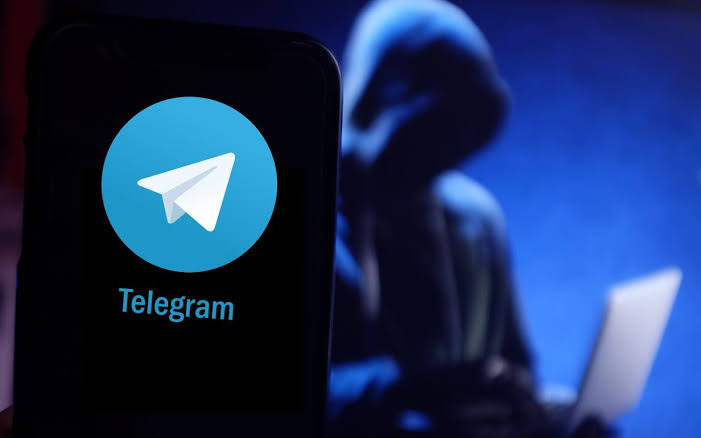
What to Do If Your Telegram Account Is Hacked and How to Securely Protect Personal Data

Table of Contents:
With each passing year, the volume of cybercrimes targeting messenger user accounts is growing exponentially on a global scale. According to up-to-date analytical reports from specialized digital security organizations and dedicated cybersecurity helpdesks, over 70 percent of all user inquiries are directly related to unauthorized access attempts, hacking, and profile takeovers within the Telegram application.
In various regions alone, national cyber police units record hundreds of such incidents within short timeframes, while global credential leaks involve hundreds of millions of compromised records worldwide. Malicious actors widely employ sophisticated phishing links, fake interactive bots, malicious software distributions, and fraudulent alerts allegedly originating from official customer support services to successfully deceive inattentive users and seize complete control over their sensitive personal information.
It is vital to always practice proper digital hygiene because cybercriminals continuously refine their social engineering methods, creating new traps for trusting individuals. Even the slightest oversight can result in the loss of valuable correspondence, personal photos, and crucial work contacts accumulated over years of active communication online.
Detailed Action Algorithm in Case of Account Access Loss
If you suddenly lose control over your profile, immediate, decisive, and calm action following a proven protocol is critical:
-
Contacting Support: First and foremost, you must contact the official Telegram support service. In your support request, describe the technical problem in detail, provide a direct link to the affected account, supply the associated mobile phone number, and attach clear screenshots if necessary. Cyber police authorities strongly recommend submitting such requests directly from the trusted device where you previously used the messenger application on a regular basis.
-
Warning Contacts: Simultaneously, make sure to warn all your acquaintances, friends, relatives, and colleagues via alternative communication channels that your account has been compromised. Fraudsters typically initiate active messaging campaigns under your name to distribute malicious files, send phishing links, or ask for urgent financial loans.
-
Cleaning Chat History: If your chat history contained confidential information, bank card details, passwords, or document photos, urgently ask your contacts to delete the relevant correspondence for both sides as quickly as possible to prevent leaks onto the network.
-
Changing Compromised Credentials: Because many individuals reuse identical combinations across multiple services, any online banking, email, or platform passwords stored inside Telegram notes should be treated as fully compromised and changed immediately to new, complex credentials.
After completing these basic steps, you can try logging back into your account. If the system immediately logs you out after a successful authorization, specialists recommend trying again during nighttime hours when server loads decrease. If restoring access ultimately fails, the only correct decision remaining is the complete deletion of the compromised account, which will destroy all chats and block malicious actors from accessing your data. Successful restoration requires immense patience and careful attention to every technical detail during customer support interactions.
Preventive Security Measures and Reliable Protection Setup
If you still retain access to your profile but notice even the slightest unusual activity, immediately navigate to Profile — Devices and carefully review the complete list of active sessions. Any suspicious or unrecognized sessions should be terminated immediately by using the convenient option to terminate all other sessions.
Afterwards, ensure you configure two-step verification by going to Profile — Privacy and Security — Two-Step Verification. Establish a strong, unique password and securely link a valid email address for recovery, verifying beforehand that malicious actors have not altered it. Never follow suspicious links from unverified sources and never share one-time SMS verification codes with third parties under any circumstances. Remember that official representatives of companies or government bodies never demand such secret credentials.
Leave a Comment
Comments
No comments yet. Be the first to comment!
You may also like

Telegram Tests Built-in Fact-Checking to Combat Misinformation
30-06-2025
Rating: 0 | Views: 2997 | Reading time: 2 min
Read →
The Strategic Evolution: Live Chats in Threads
24-04-2026
Rating: 0 | Views: 1209 | Reading time: 5 min
Read →
YouTube Launches AI Features for Video Search
04-07-2025
Rating: 0 | Views: 2426 | Reading time: 3 min
Read →
Snoop Dogg released a song about Telegram after a spat with Durov
11-07-2025
Rating: 0 | Views: 3688 | Reading time: 3 min
Read →
TikTok Launches a Dedicated App for Events and Fan Communities
05-06-2026
Rating: 0 | Views: 728 | Reading time: 4 min
Read →